

Discover how Alexa works as a walkie-talkie, offering instant, hands-free communication, smart home integration, and convenience for homes, offices, and remote connections.
What Is Alexa?
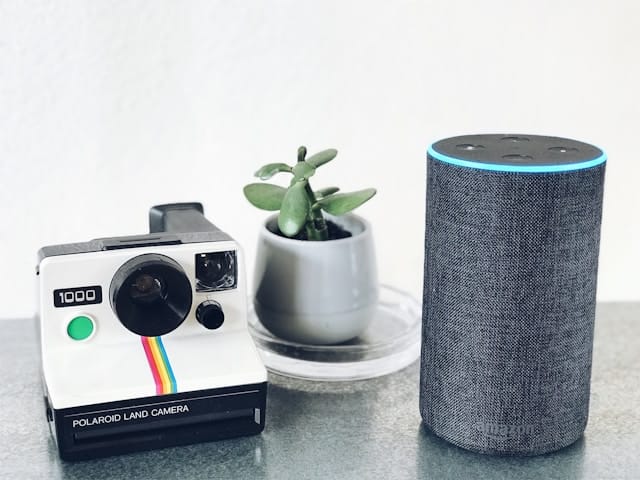
The Alexa is an Amazon voice service that is provided on a cloud platform, and is included in such devices as the Amazon Echo, Echo Dot, Echo Show, and Echo Studio. It enables its users to use voice recognition to do all tasks, including setting alarms and managing the smart home gadgets, as well as making calls and sending text messages. Probably one of the least popular functions of Alexa is the drop-in and announcement functions that are capable of functioning as walkie-talkies.
What Is Alexa Walkie Talkie Mode?
Push to talk is basically a feature, which is called Alexa Walkie Talkie. Upon activation, users are able to speak into their Echo device, and the voice message is relayed instantly to another Alexa-enabled device. This feature is immediate and does not involve dialing a number or a phone call, as is the case with a phone call.
Advantages of Using Alexa as a Walkie-Talkie
Alexa has a number of advantages over a traditional walkie-talkie when used as a walkie-talkie. Here are some key advantages:
1. Convenience
You are able to chat wirelessly across rooms or houses without having to carry several gadgets and the fear of running out of battery, like a classic walkie-talkie.
2. Ease of Use
The interface is user-friendly and easy to navigate, with all the members of the family, such as children and the elderly, having access to it.
3. Remote Connectivity
Alexa will have the capability to communicate with people located further in distance, unlike the regular walkie-talkies, which are restricted by range.
4. Integration with Smart Home
Alexa will be able to incorporate walkie-talkies with smart home capabilities such as light, alarm, or announcement control.
5. Free of Cost
After purchasing an Echo device, there will be no extra charge for utilizing the walkie-talkie aspect. There is no need to have monthly fees and subscriptions to enjoy basic functionality.
Can Alexa Be Used as a Walkie-Talkie?
Yes, Alexa supports the use of the Drop In and Alexa App to make use of it as a walkie-talkie. Users are able to send voice messages instantly between devices using Echo or on mobile devices. It enables immediate communication either in a home or between friends and relatives without using hands within a home and resembles a modern, convenient, and connected walkie-talkie system.
How to Set Up Alexa as a Walkie-Talkie
Enabling Drop In in the Alexa App
- Open the Alexa app
- Go to Devices
- Select an Echo device
- Tap Communications
- Enable Drop In
Open the Alexa App
You can use the Alexa app on your smartphone or tablet to set up your Echo device to use as a walkie-talkie, so whatever you need is settings, devices, and communication.
Go to Devices
Open the Alexa application, then go to the area called Devices. You will see all the devices you have connected to your Echo, and you need to choose the one you wish to make it possible to use Drop In.
Select an Echo Device
Select an Echo device of your choice from the list that you would like to use as a walkie-talkie, making sure it is online and set up correctly to communicate.
Tap Communications
In the device settings, you can enable tap on the option of communications, where you will find such capabilities as drop-in, calling, and messaging, which will allow walkie-talkie-type functionality to be operational.
Enable Drop In
Enabling the Drop In feature of the chosen Echo device, one will be able to voice-call other Echo devices or contacts without dialing or waiting.
Best Alexa Devices for Walkie Talkie-Style Use
1. Echo Dot
Echo Dot is a small and cheap Alexa gadget with high-quality sound in small rooms. Its dimensions and cost render it suitable for multi-room walkie-talkie-like systems of communication.
2. Echo Show
The Echo Show has a screen, can achieve optional video Drop In, and has visual indicators of activity. It is great when the family members or old people are involved and require visual communication.
3. Echo Auto
Echo Auto is a car-based Alexa communication device that communicates with smart devices at home. It enables messaging and drop-in without the use of hands, and therefore, it is easy to check in or talk when driving safely.
Who Benefits Alexa Walkie Talkie Feature?
Families at Home
Alexa Walkie Talkie allows members of the family to connect rooms without yelling or screaming, announcing meals, reminding family members about them, or sending urgent messages without the need to strain, making it more convenient and easier to coordinate the house.
Remote Communication
The Alexa Drop In feature allows users to communicate with their relatives or friends residing in other households through voice communication and ensures close bonding despite the distance.
Small Offices or Workspaces
Alexa Walkie Talkie can be used in small teams as a quick and convenient communication tool that allows them to use fewer phones or radios and minimizes the use of phones or radios that can interrupt work and the communication process.
Key Differences Between Alexa and Traditional Walkie-Talkies
Although Alexa may be used as a walkie-talkie, it differs in the following ways:
- Internet access is needed by Alexa.
- Walkie-talkies work offline.
- Alexa devices are not mobile.
- Walkie-talkies are portable
Nevertheless, Alexa can be more advanced as far as indoor and smart-home communication is concerned.
Alexa vs Walkie-Talkies: Comparison Table
| Feature | Alexa | Walkie Talkie |
| Internet Required | Yes | No |
| Range | Unlimited (with Wi-Fi) | Limited |
| Portability | Low | High |
| Audio Quality | High | Medium |
| Hands-Free | Yes | No |
| Best Use | Homes & offices | Outdoors & emergencies |
Disadvantages of Using Alexa as a Walkie-Talkie
In addition to all the benefits, Alexa’s walkie-talkie capabilities also possess certain limitations:
1. Requires Wi-Fi
Alexa depends on an internet connection, unlike the traditional walkie-talkies, which operate using an RF. No Wi-Fi, no communication.
2. Privacy Concerns
The Drop-In feature is intrusive when it is not handled well. Other users might not be at ease with the fact that other users can initiate a conversation immediately.
3. Limited to Alexa Users
The communication is limited to contacts with Alexa-enabled devices or the Alexa app as opposed to traditional walkie-talkies, which may be used anywhere.
4. No Emergency Channel
In contrast with professional walkie-talkies, there are no special channels or high-power transmission for critical cases in Alexa.
Conclusion
Alexa has the potential to be an efficient use of a contemporary walkie-talkie that can provide real-time and hands-free communication at home or in offices. Though Wi-Fi is required and it can only be used by the Alexa system, it is convenient, can be connected to other smart home devices, and is easy to use, making it a viable alternative in daily communication.